← Back to work

Case 05 — Web app · B2B steel trade

One steel RFQ, four people reading it.

Client
Routres Marketplace
Scope
RFQ flow · four roles · dialogs
Sector
B2B · steel trade
Status
Shipped
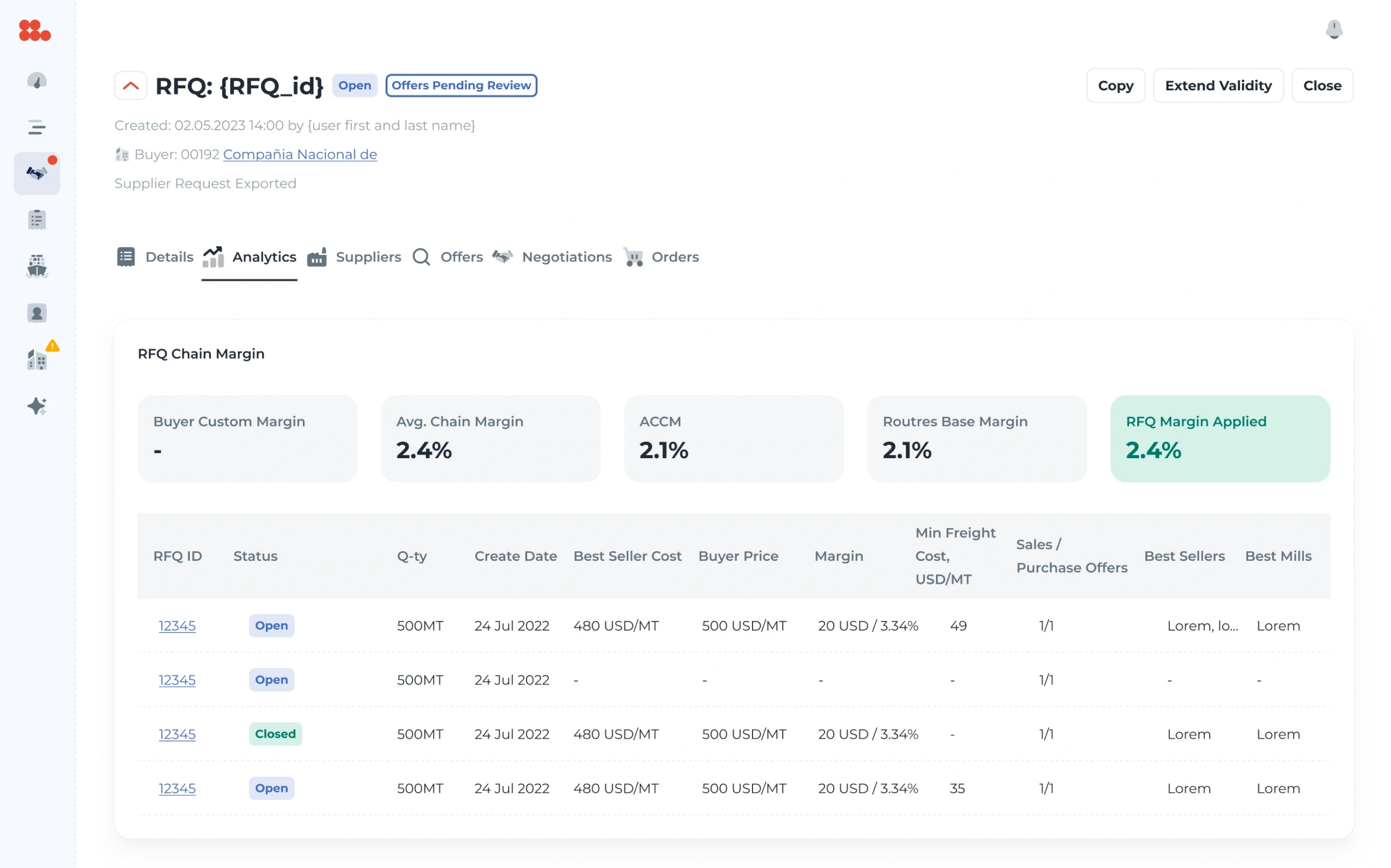
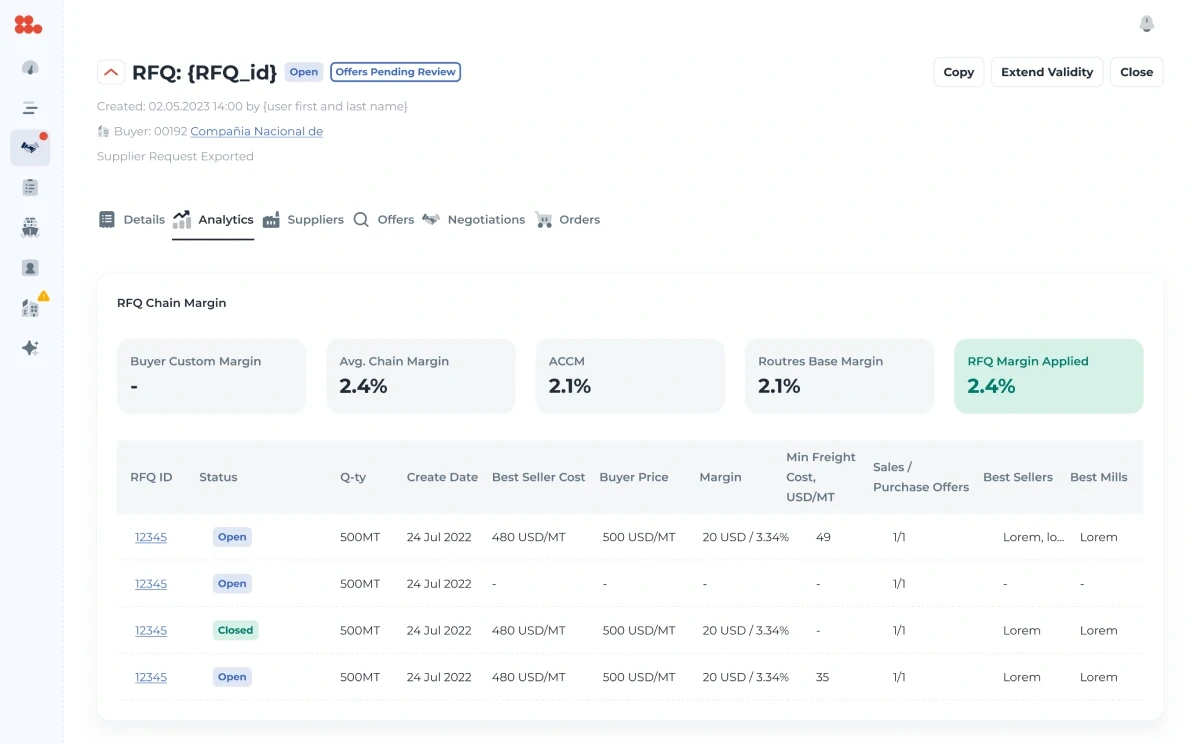
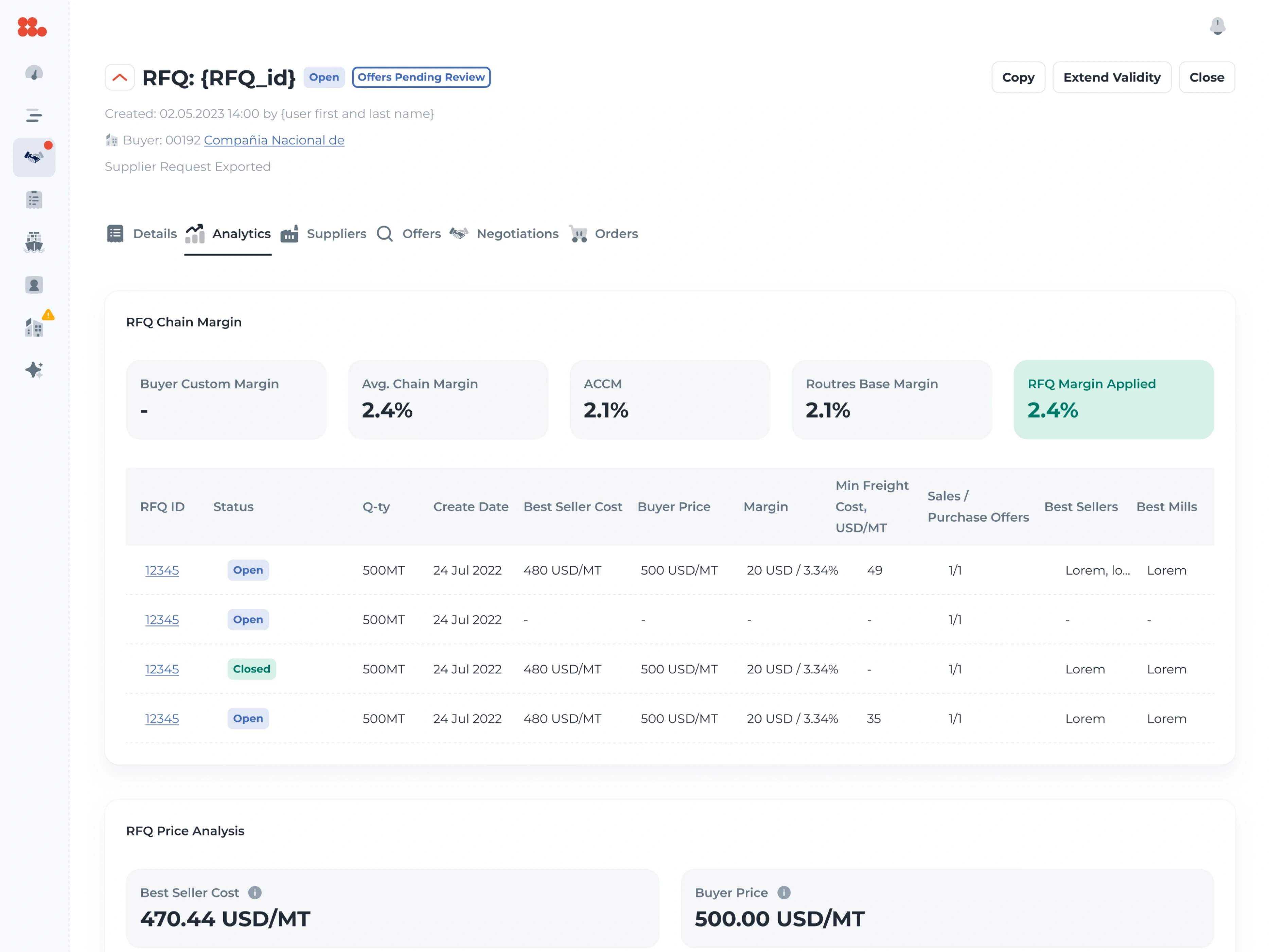
The Analytics tab of a request: the buyer’s custom margin, average chain margin, ACCM, the base and applied margins, a table of requests with seller cost, buyer price and margin, and the price analysis — best seller cost 470.44 against a buyer price of 500.00 USD per metric ton.
AnalyticsOne request for quotation: the margin the platform applies, and every offer’s cost against the buyer’s price, in one table.

Context

Routres is a B2B marketplace for steel. A buyer posts a request for quotation — the product and its specification, shipping and commercial terms, the inspections they need — and sellers from mills around the world bid on it.

Operators sit in between: they check a request, publish it to the marketplace, extend or close it, and the platform compares every offer with the prices the buyer has already paid or been offered elsewhere.

Problem

The same RFQ means four different things.

“I have copied the Buyer comment to the Seller comment field and ensured it contains no Buyer contact details or other confidential information.”

The operator’s checklist, before publishing

For the buyer an RFQ is a purchase with a target price. For the seller it is an opportunity — with the buyer’s identity taken out. For sales and procurement it is a negotiation, and for the operator it is a document that must not leak a single contact. One record, four readings, and the numbers underneath — dollars per metric ton, advances, Incoterms, ports — had to stay exact in every one.

Constraints

Working within constraints

Roles
Operator, buyer, seller and purchaser — each sees a different RFQ
Confidentiality
The buyer never reaches the seller
Data
Specifications, chemistry formulas, Incoterms, ports, inspections
Money
Prices per metric ton, advances, letters of credit
Time
Offer deadlines, one extension of up to 15 days, shipment dates
Outside
Prices from outside the platform, to benchmark against

In the file

The whole life of a request, for every role

  • RFQ header states
  • Details · operator
  • Details · buyer
  • Details · seller
  • Data previews
  • Analytics
  • Matched sellers
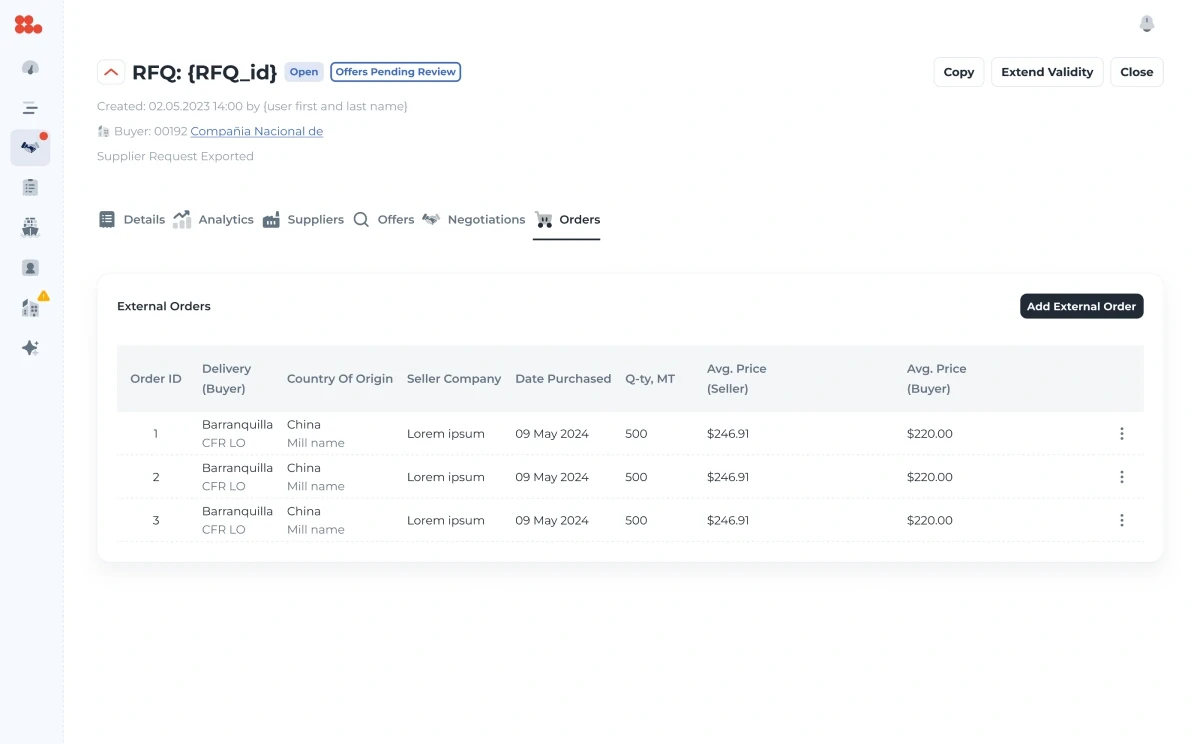
  • Orders
  • Dialogs

Decisions

Decisions that shaped the product

One header, every state.

Why
A request lives through draft, published, open bids and closed, and each role acts on it differently.
Result
The header keeps the id, product, deadline and price in the same places in every state; only the status and the actions change.
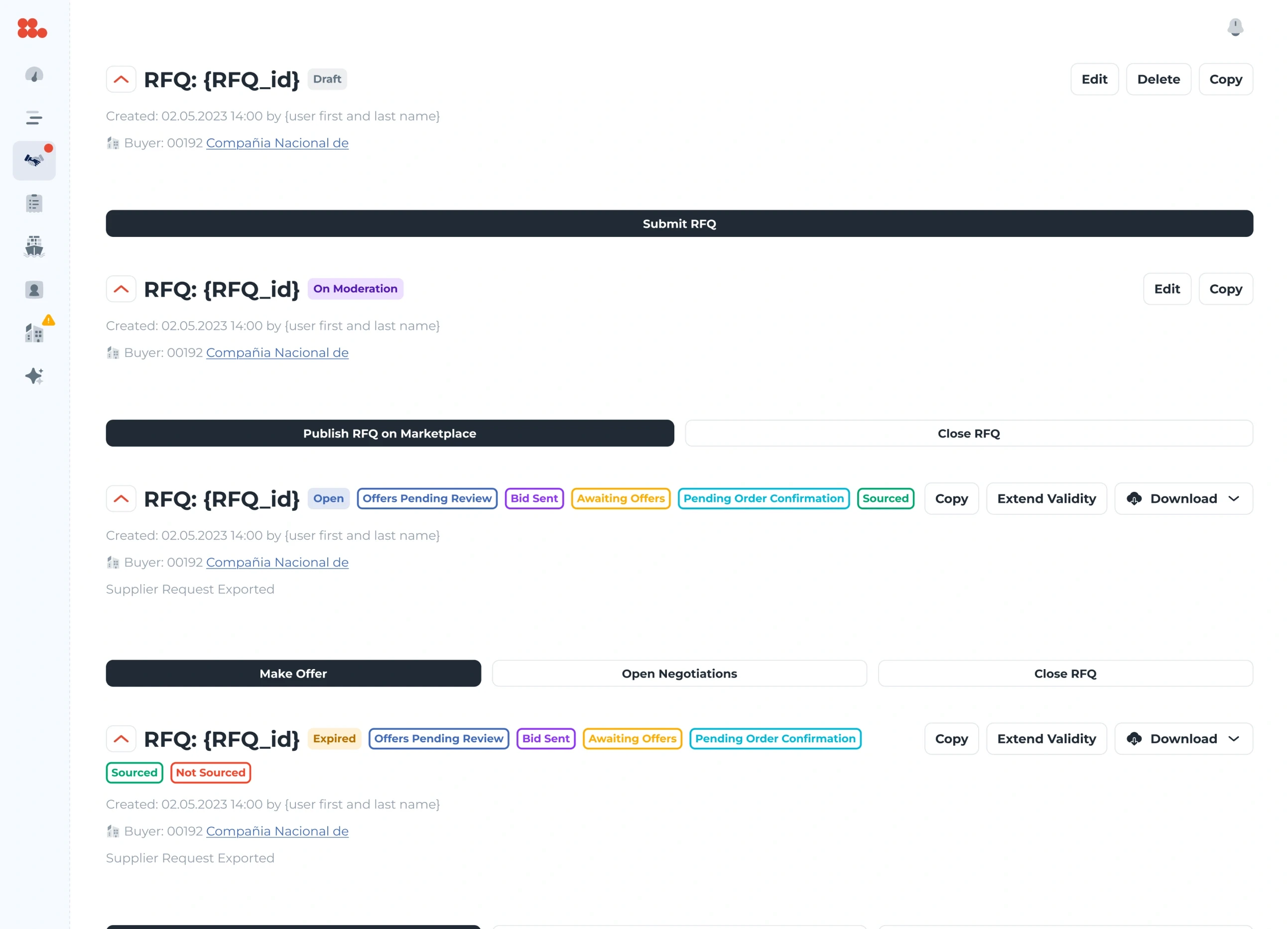
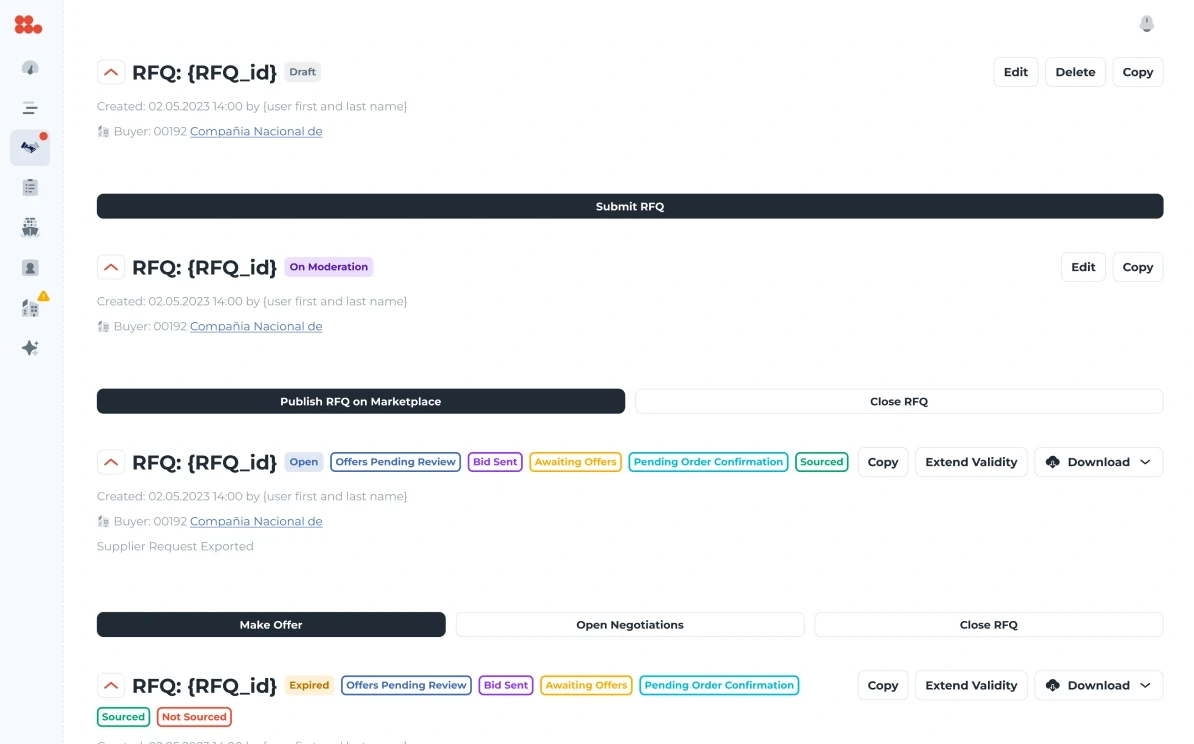
The request header in four states — draft, on moderation, open and expired — with the same layout and only the status chips and the actions changing: submit, publish, make an offer, open negotiations, close.

The seller sees the deal, never the buyer.

Why
Sellers have to price an order without a way to go around the platform.
Result
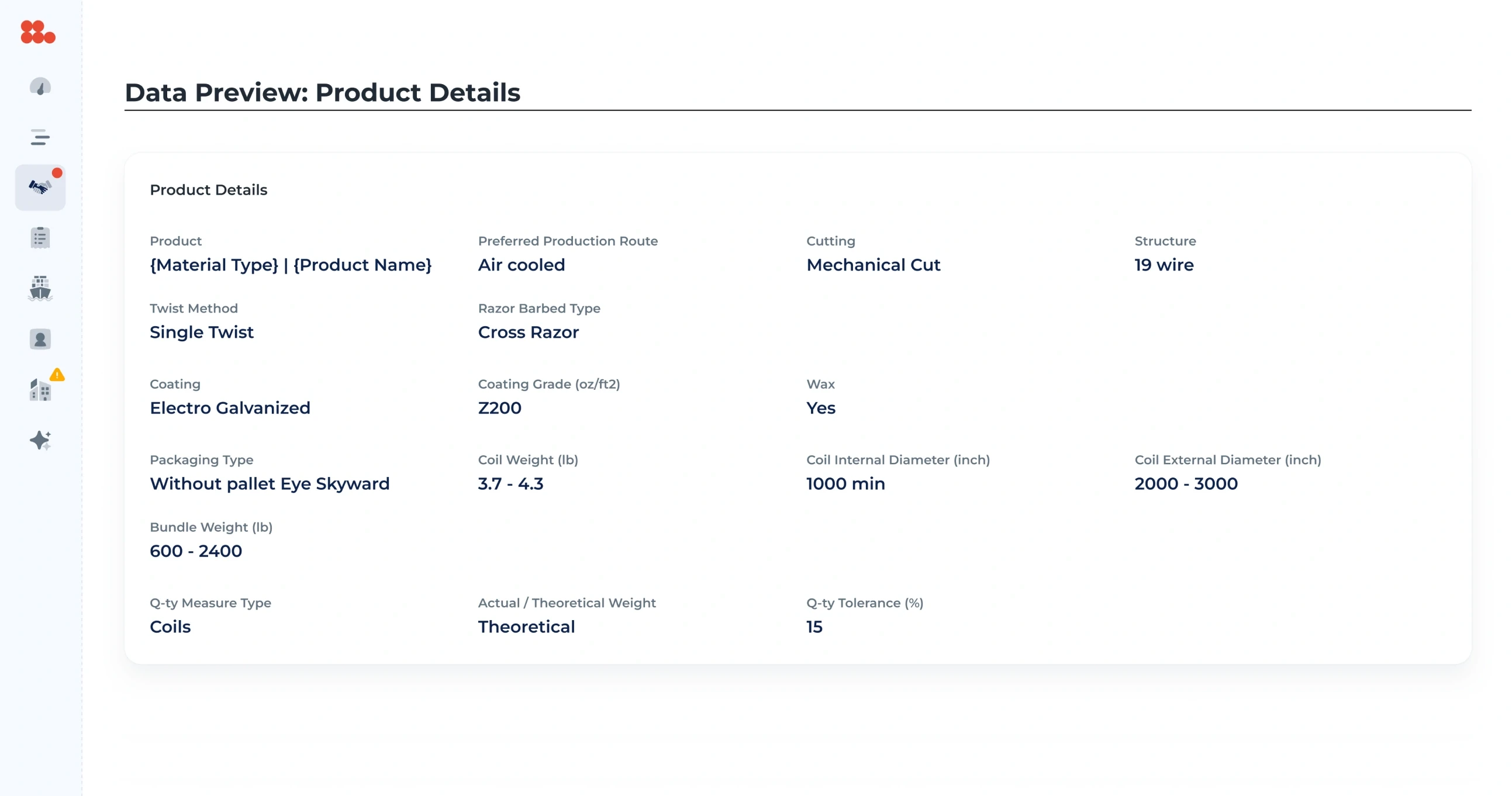
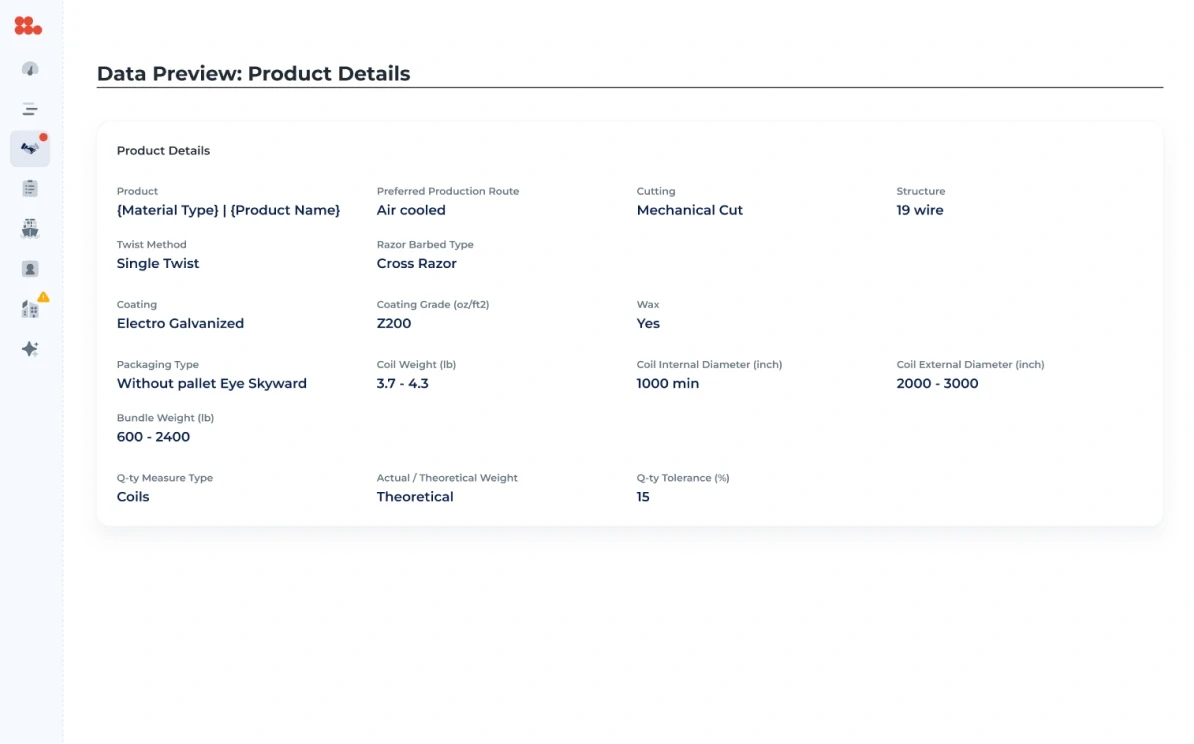
The seller’s view is built from data previews — product, shipping and commercial terms — and before anything is published, the operator confirms that no comment or attachment carries the buyer’s contacts.
Data preview of the product details: material, production route, coating, structure, packaging, bundle weight and tolerance.

Prices judged against the market, not alone.

Why
A bid of 500 USD per ton means nothing without what the buyer paid last time, or was offered elsewhere.
Result
The request carries its own price analysis — the best seller cost against the buyer’s price and the margin applied — while the details add the average purchase price, the best price received outside and a recommended price.
The chain margin of a request — buyer custom margin, average chain margin, ACCM, base margin and the margin applied — above the table of requests with seller cost, buyer price and margin.

Irreversible actions say what they break.

Why
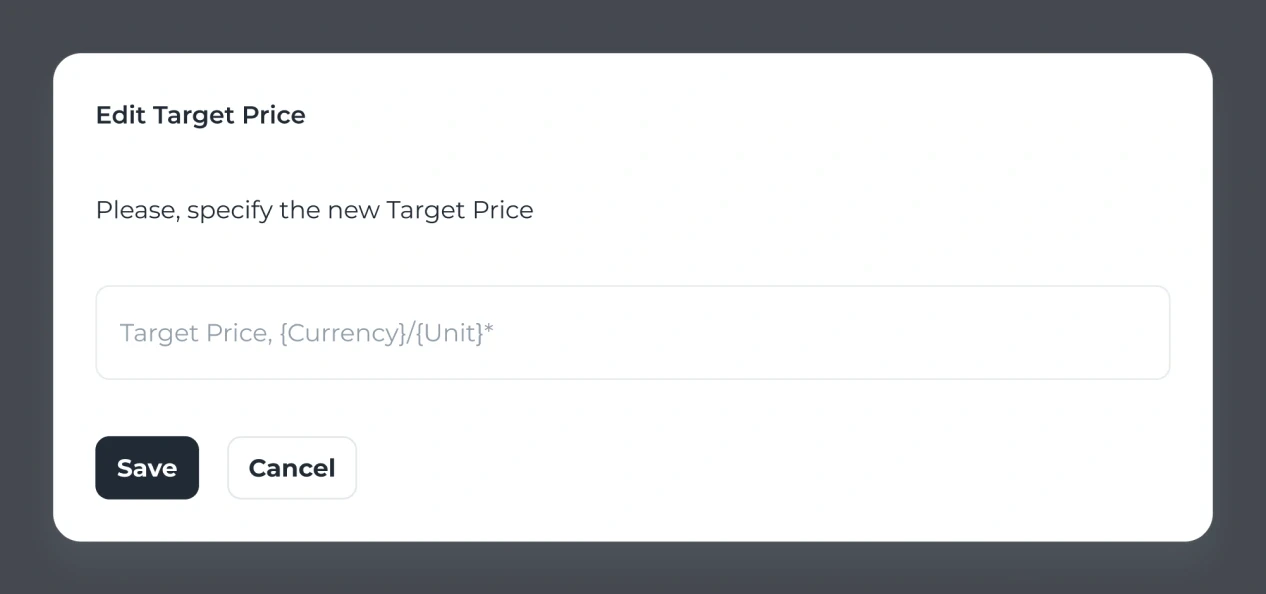
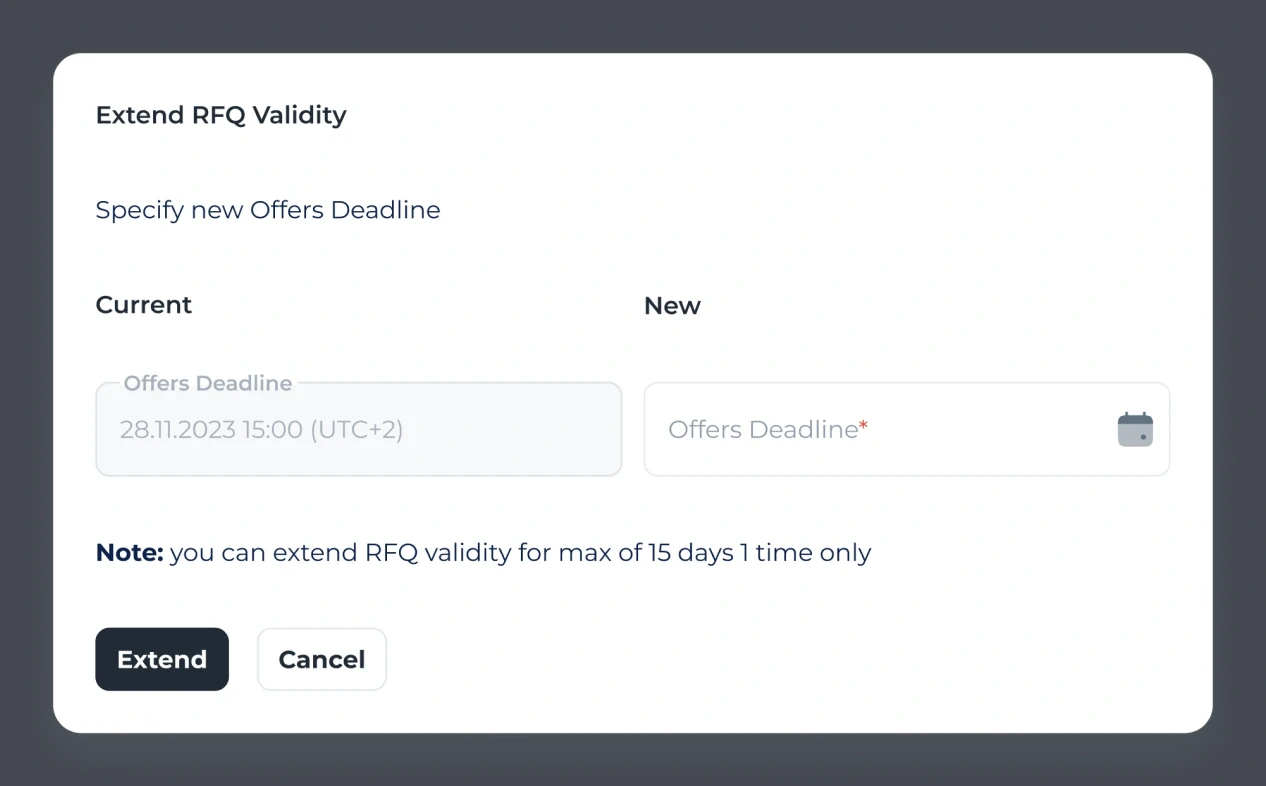
Changing the target price rejects every open offer; the offer deadline can be extended only once.
Result
The extend dialog states its limit above the button — “you can extend RFQ validity for max of 15 days, 1 time only”. The target-price dialog carries its warning, “all open offers will be rejected automatically”, as a layer that is switched off in the final file.
The Edit Target Price dialog: “Please, specify the new Target Price”, one field in the request’s currency and unit, Save and Cancel.
The Extend RFQ Validity dialog: the current and the new offers deadline, and the note “you can extend RFQ validity for max of 15 days 1 time only” above Extend and Cancel.

Two ways to rank the same sellers.

Why
Some buyers want the lowest price; others need the steel soonest.
Result
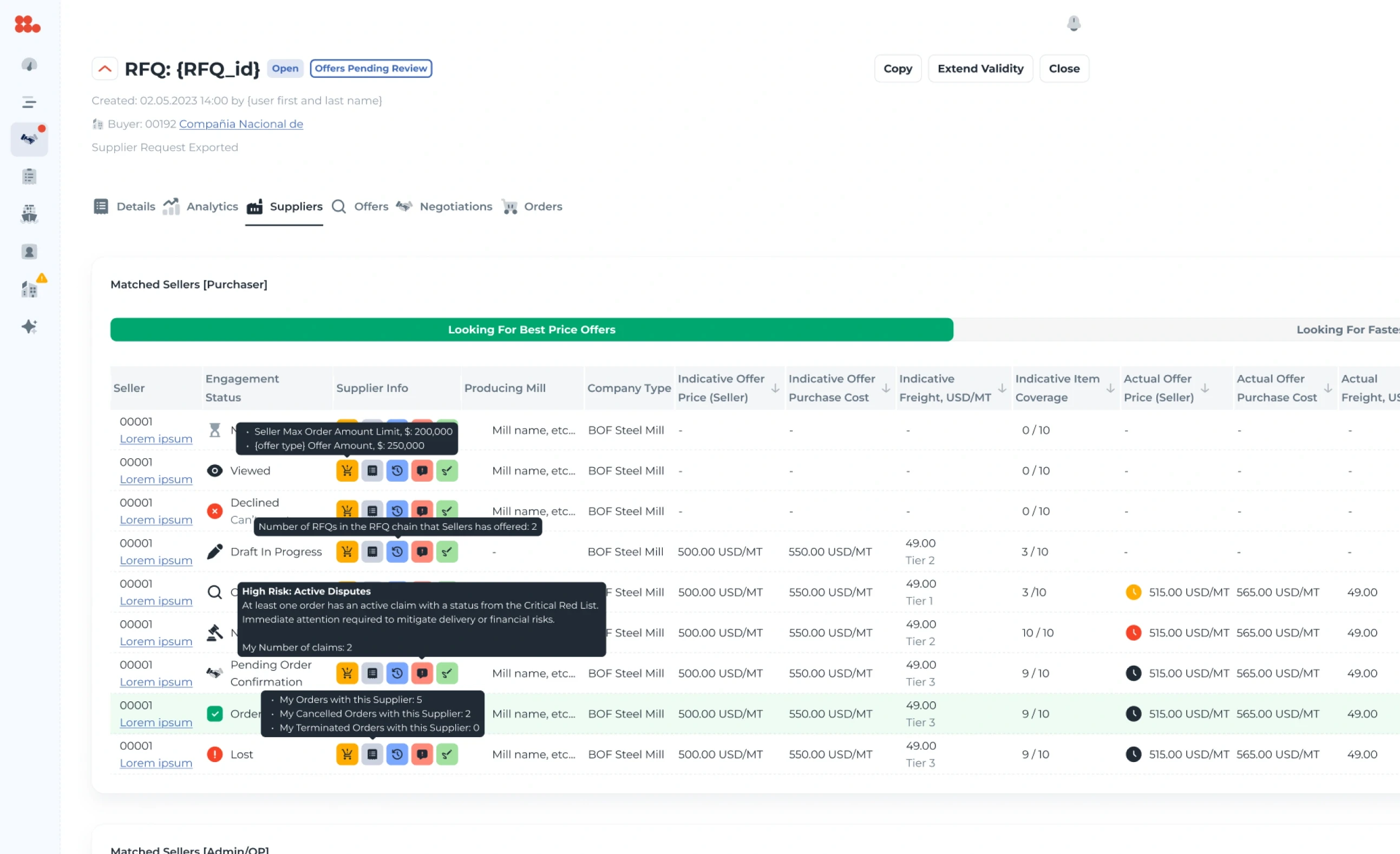
Matched sellers come in two lists — best price offers and fastest delivery — each with the figures that decision needs first.
Matched sellers, with the switch between Looking for best price offers and Looking for fastest delivery above the list of mills and their figures.

System

A calm kit for dense numbers

White pages, one dark action colour, and status colours that carry meaning only where the state matters — open, closed, pending review.

Typeface

  • Montserrat — the whole product
  • SemiBold for ids, prices and headers
  • Regular for terms and tables

Palette · sampled from the screens

  • #212B36
  • #637381
  • #F4F6F8
  • #919EAB
  • #FFFFFF
  • #0D224C

Solid fills, sampled by frequency from the analytics and the operator’s details screens.

Screens

One request, every view of it

  • The operator’s request headers: submit, publish to the marketplace, extend validity, close — with the buyer named.

    Operator

    Details with every action: publish, extend, close.

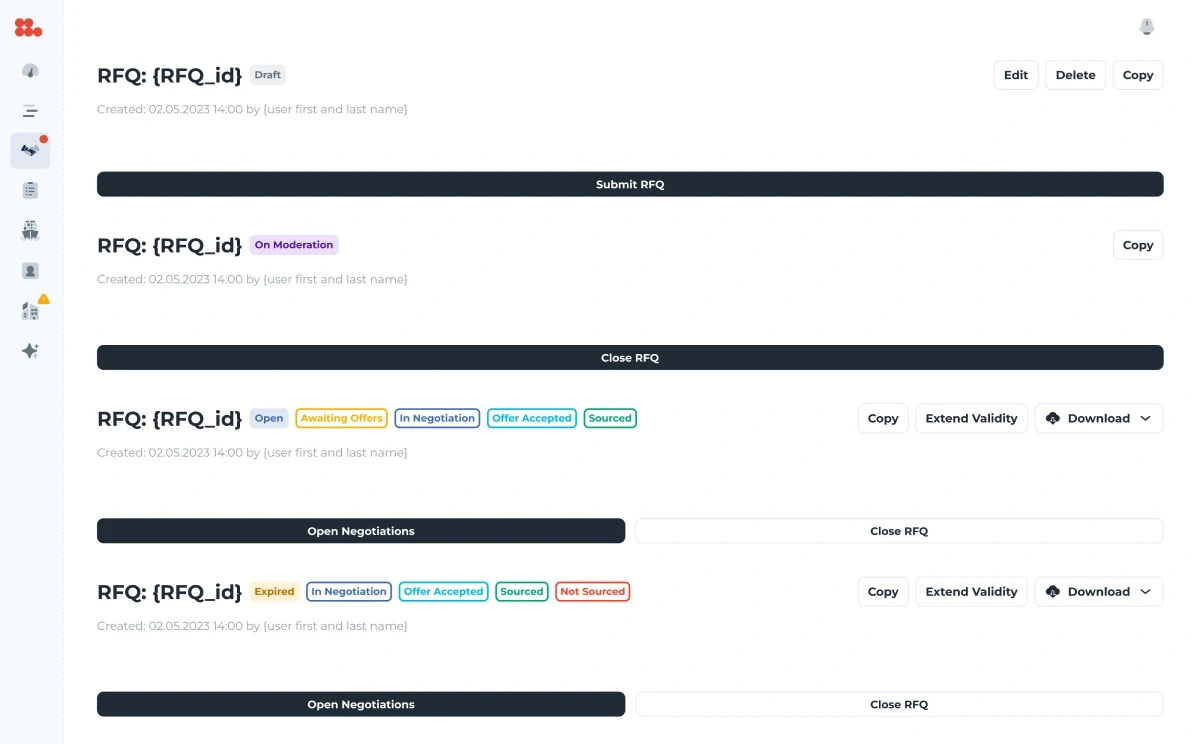
  • The buyer’s request headers: submit, open negotiations, extend validity, close.

    Buyer

    The same request from the buyer’s side: submit, negotiate, extend, close.

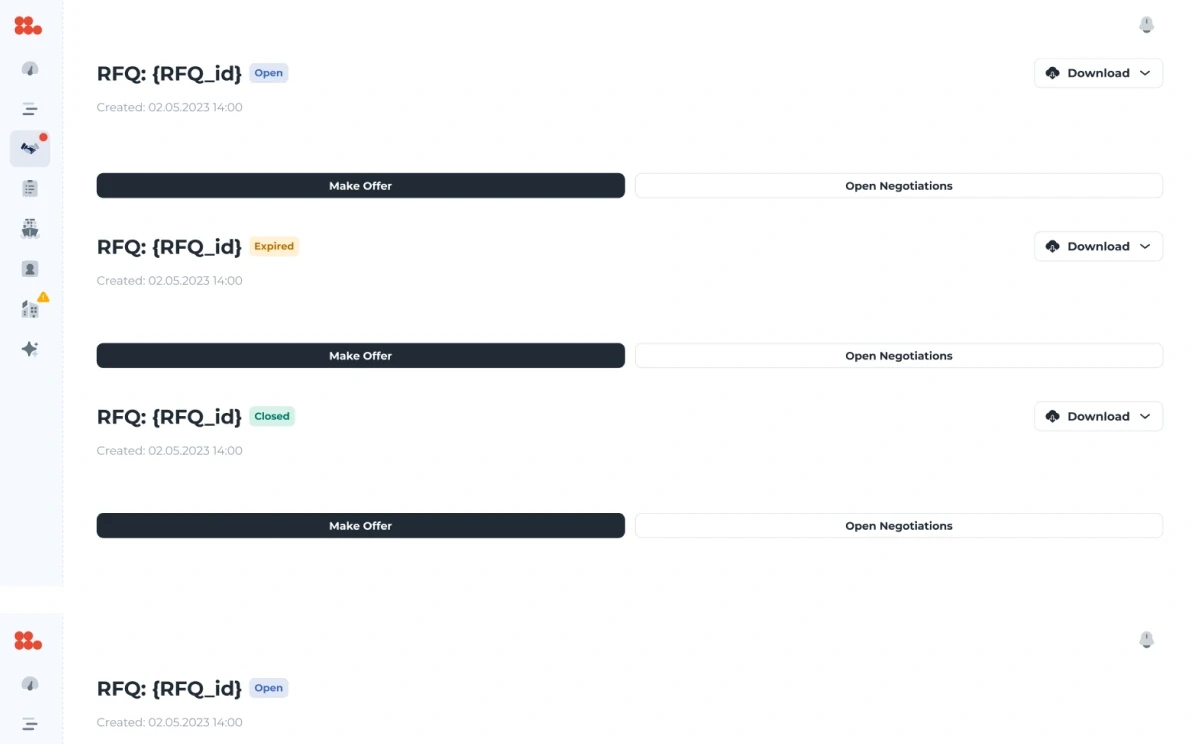
  • The seller’s request headers: only the status, Download, Make offer and Open negotiations — no buyer anywhere.

    Seller

    The deal without the buyer.

  • Data preview of the product details, laid out as a template.

    Data previews

    Product, shipping and commercial terms as templates.

  • The Analytics tab: the chain margin and the table of requests.

    Analytics

    Margins and price analysis.

  • The Orders tab: external orders with delivery, origin, seller, date, quantity and average prices.

    Orders

    What the request turned into.

Craft

The details that carry it

Two places where the design does quiet work.

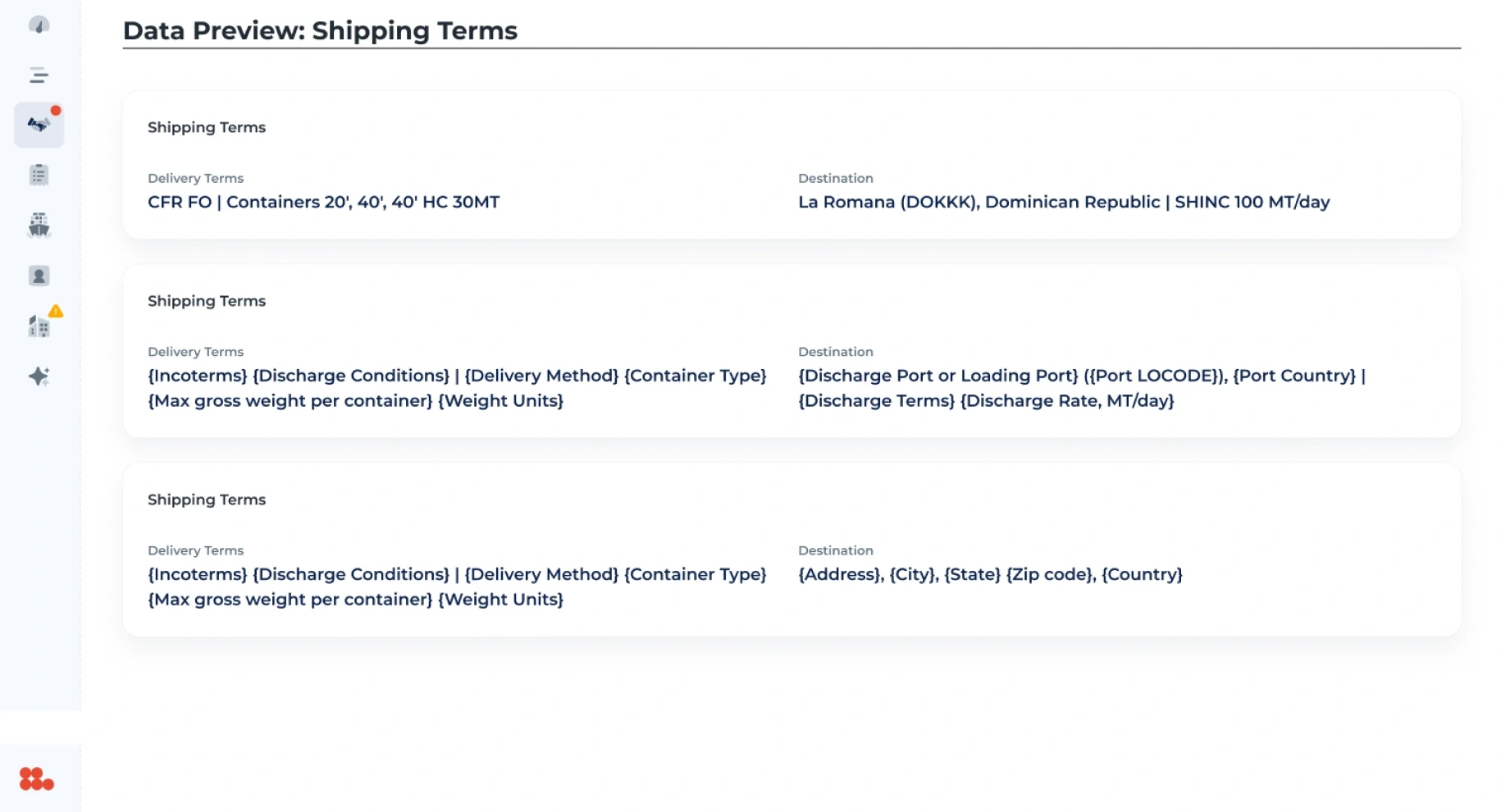
Data preview of the shipping terms, each line written as a template: {Incoterms} {Discharge Conditions} | {Delivery Method} {Container Type}.
Templates, not screenshotsEvery preview line is written as a template — {Incoterms} {Discharge Conditions} | {Delivery Method} — so developers see exactly which field feeds which word.
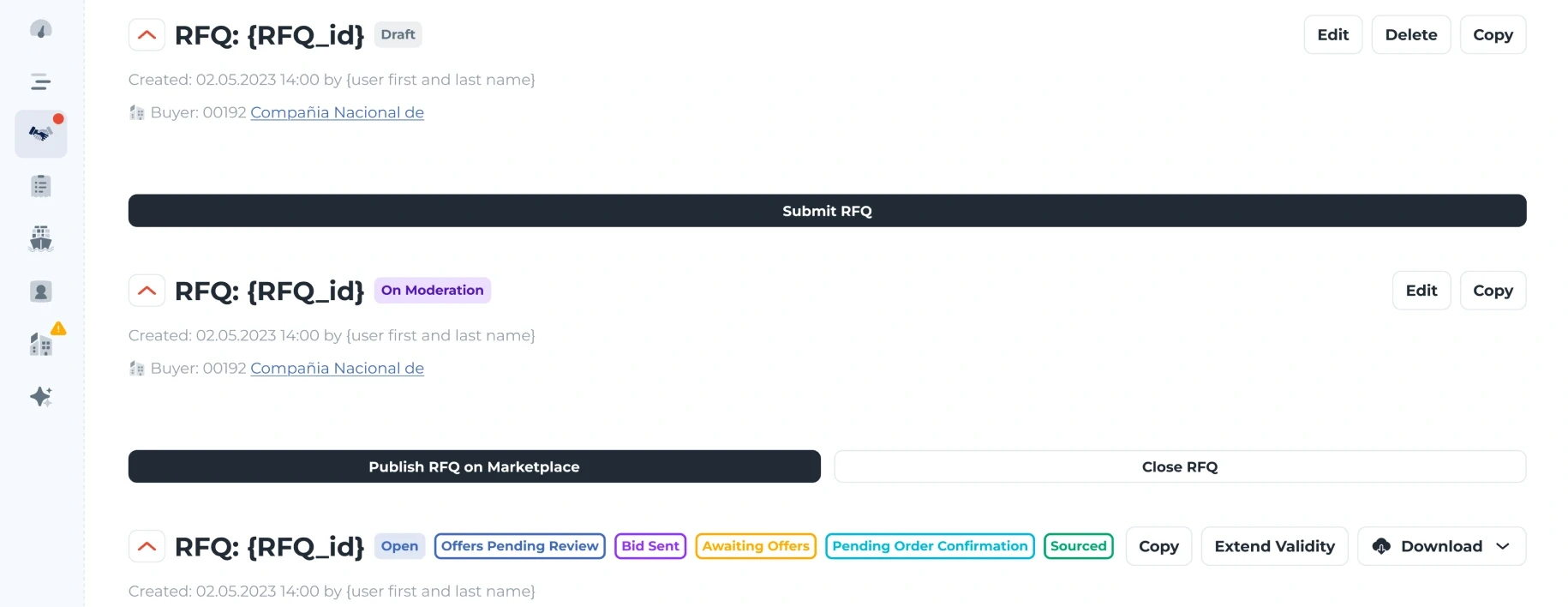
Request headers: Draft and On moderation, then Open with its chips — Offers pending review, Bid sent, Awaiting offers, Pending order confirmation, Sourced.
Status chipsOpen, offers pending review, closed: short words in fixed places, so a long list of requests can be scanned by colour alone.

Outcome

What shipped

Status
Shipped
Roles
Four views of one request
Surface
Details, previews, analytics, orders, dialogs
Safety
No buyer contact reaches a seller

No product metrics were shared for this page, so there are none on it.

Reflection

If I had another two weeks

What I’d test
Whether sellers trust a price they can’t trace to a buyer. The anonymity protects the platform, but it also asks for faith.
What I’d measure
How often a request is extended or closed without a deal, and at which step.
What I’d change
Bring the price analysis into the buyer’s view of each offer, instead of keeping it on its own tab.

End of case 05

Seen enough? Let’s talk about yours.